
NeuraTiM Checklist
Head out with everything you need.
Make a checklist for packing, chores, or the trip ahead, then reuse it whenever you need it. Free to use, with offline checklists and no account to create.
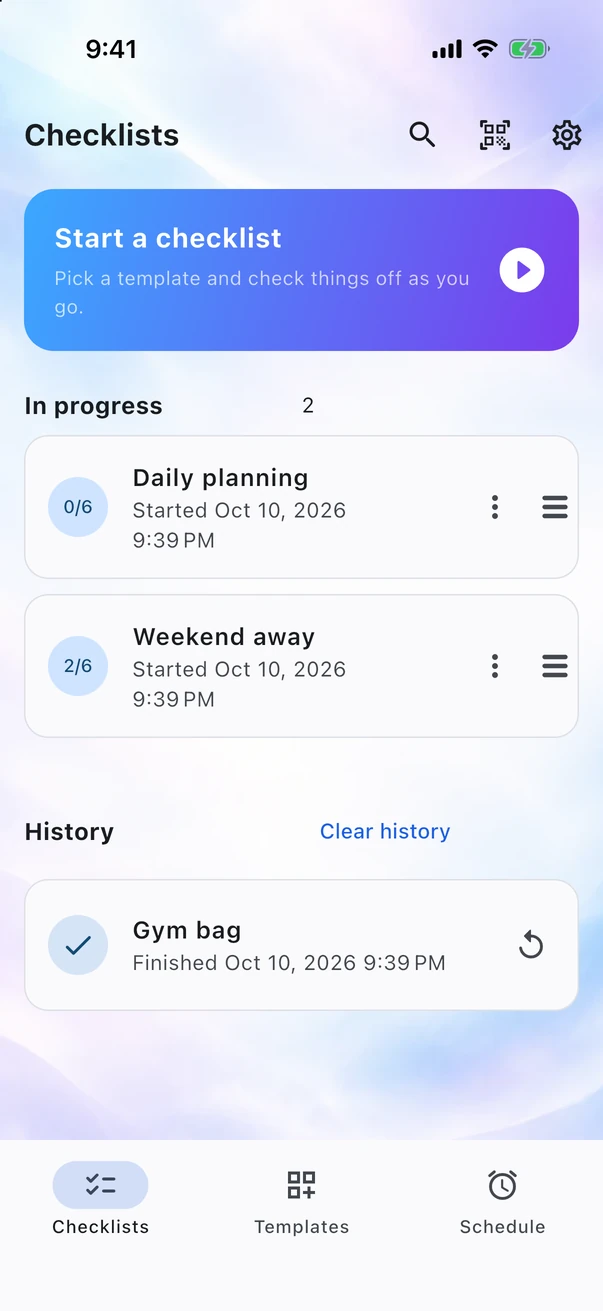
How it works
Three simple steps. Ready when you are.
Create a template, work through your checklist, and add a reminder when it's useful. No complicated setup between you and getting things done.
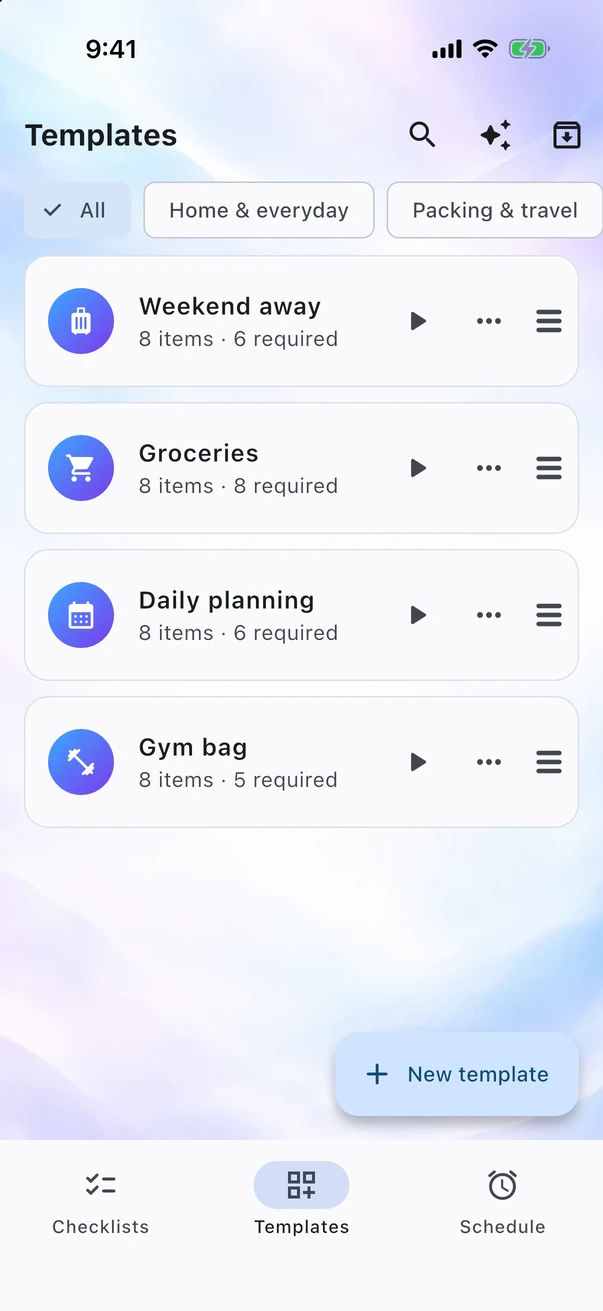
Step 1
Create a template
Add item names, optional photos, and set each item as required, optional, or conditional. Reuse your template, change the order, make a copy, or archive it when you no longer need it.
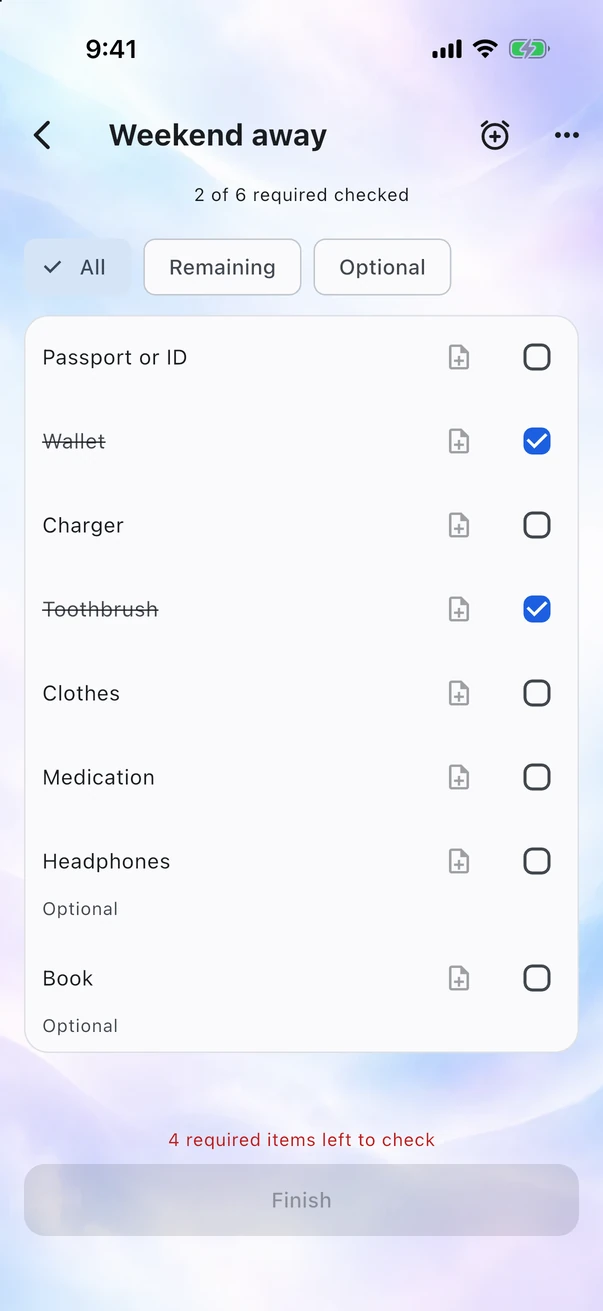
Step 2
Check before you go
See each item's name, photo, and checkbox. You can finish once all required items are checked. Optional items never block completion; conditional items only do when their rules are met.
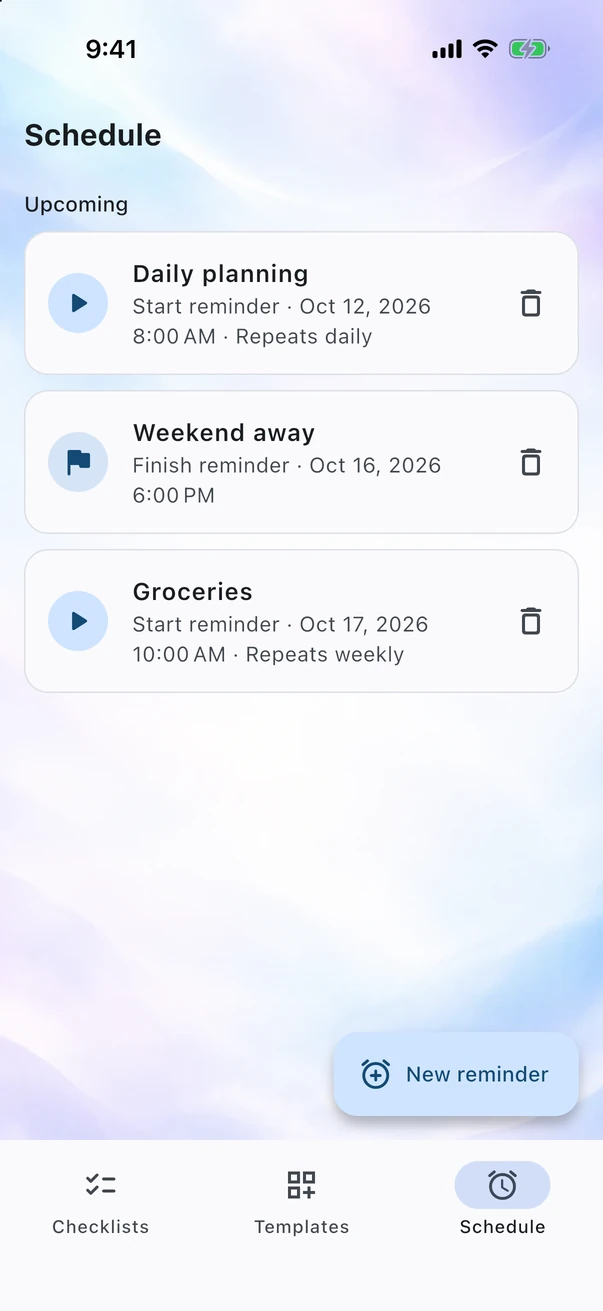
Step 3
Let the app remind you
Set a reminder to start a checklist or finish one in progress. Choose a one-off reminder or repeat it daily, weekly, monthly, on weekdays, on selected days, or every few days or weeks.
Getting started
Less typing. More getting things done.
Start with a ready-made template, paste a list, or create a quick checklist. Choose the approach that suits you—there's no need to build everything item by item.
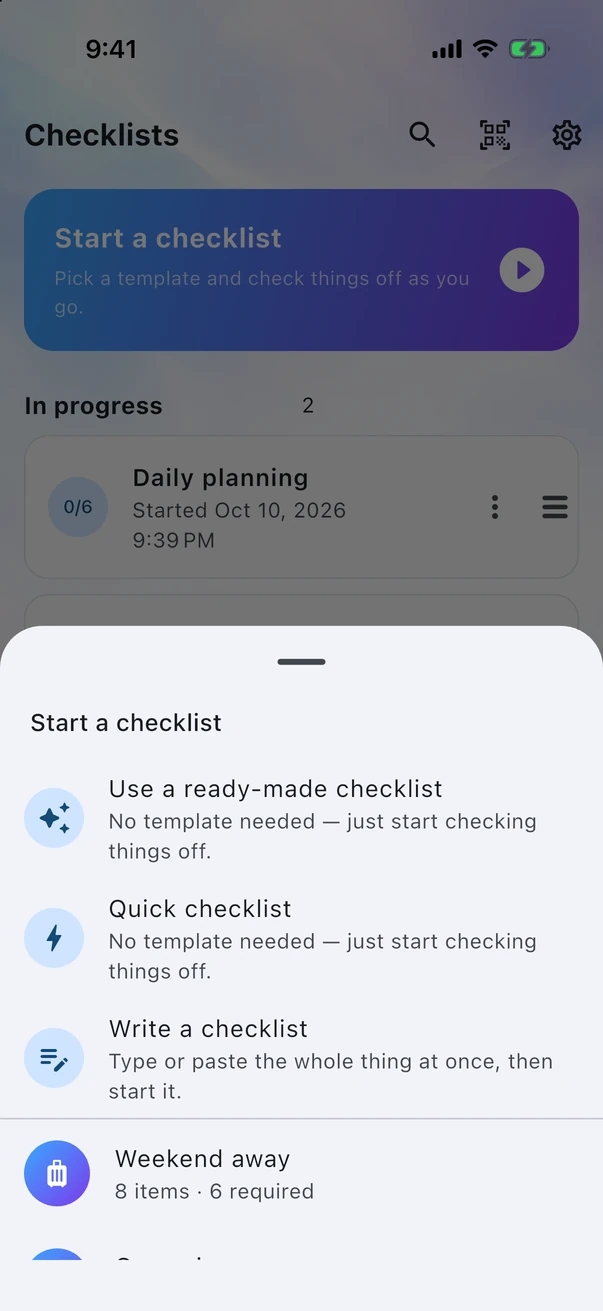
Make a ready-made template your own
Choose from Hiking, Weekend away, Groceries, Gym bag, or Leaving the house. A copy is added to your templates so you can rename it and remove anything you don't need.
Write the whole list at once
Use the first line for the checklist name and each following line for an item. Add the literal marker [optional] at the end of a line to make that item optional. Paste an existing list and get started.
Paste into an existing list
Bullets and numbering are removed automatically. Start a line with 2x to set the quantity to two. Turn a page of notes into individual items in one go.
Or start with a quick checklist
No template needed. Add items as you go, dictate names on supported devices, or use barcodes with names you've saved. Suggestions come from item names already stored on your device.
Conditional items
Some things are only essential sometimes.
Taking your laptop? You'll need the charger. Leaving it at home? Leave the charger too. Set an item to Conditional and it becomes required only when your rules are met. One template, ready for different plans.
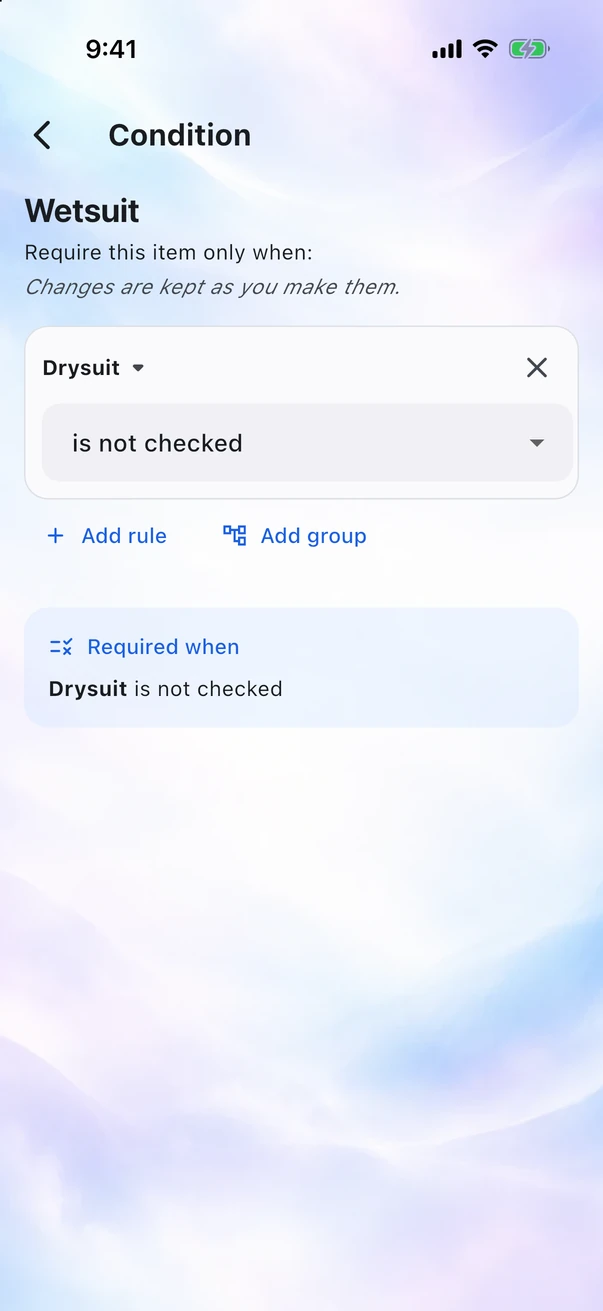
Rules in plain language
Choose an item and whether it must be checked or unchecked. The app displays the full condition as a sentence so you can see exactly when it applies.
AND, OR, and brackets
Combine rules with AND or OR, and use brackets to group them. For example: require the charger when Laptop is checked AND at least one of Overnight trip or Work trip is checked.
Updates as you check things off
When a condition is met, its item becomes required and counts toward completion. When the condition no longer applies, the item stops being required. Finish is available only when all currently required items are checked.
Features
Everything you need in a checklist. Nothing in the way.
Reusable templates
Add photos, notes, tags, and required, optional, or conditional items. Create a template once, then start a fresh checklist whenever you need it.
In progress and history
Leave a checklist unfinished and pick it up later. It stays in progress until you finish or delete it. Finished checklists move to history.
Flexible reminders
Get a reminder to start a checklist or finish one in progress. Repeat daily, weekly, monthly, on weekdays, on selected days, or at intervals of days or weeks—or set a one-off reminder.
Works offline
Create and use checklists without an internet connection. Templates, checklists, and reminders are stored on your device, with no account or cloud sync.
Search and tags
Filter templates by tag and find checklists by name. Less scrolling, even as your collection grows.
iOS · Android · Web
A clear, familiar checklist experience on your phone, tablet, or in your browser. Feature availability may vary by platform.
Conditional items
Make an item required only when it matters: the charger, for example, when you're taking the laptop. Combine rules with AND and OR; they update as you check things off.
Room for the details
Give each item multiple photos, a description, a quantity and your own unit, such as 2 kg or 3 packs. Organize items into sections, and drag to reorder items or whole sections.
Long lists, less clutter
Group checked items under Done or hide them altogether. Filter by Remaining or Optional to focus on what you need next.
Edit several items at once
Select multiple items to move them to another section, mark them as required or optional, or delete them together.
Progress at a glance
On supported devices, a persistent notification and a home-screen widget can show your progress. Launcher shortcuts give you quick access to your four most recently used templates.
Share your way
Send a QR code or .ntchk file to someone with the app, or plain text to anyone else. Shared checklists and templates do not include photos.
Encrypted backups
Back up your data, including photos, in one file protected by a passphrase you choose. Encryption uses Argon2id and AES-GCM on your device.
App lock and encryption
Unlock the app with your fingerprint, face recognition, or your device's passcode. On Android and iOS, you can also encrypt its stored data.
History on your terms
Keep finished checklists indefinitely, or for one month, three months, or one year. Older checklists are removed the next time you open the app.
Statistics
Your progress, for your eyes.
Statistics are calculated on your device from your saved checklists, not from tracking your activity. Delete a checklist and its data is no longer included. No separate analytics record is kept.
See what you tend to skip
See which items are most often left unchecked when you finish. An optional item you always skip might not belong on your list. Currently required items must be checked before you can finish.
The bigger picture
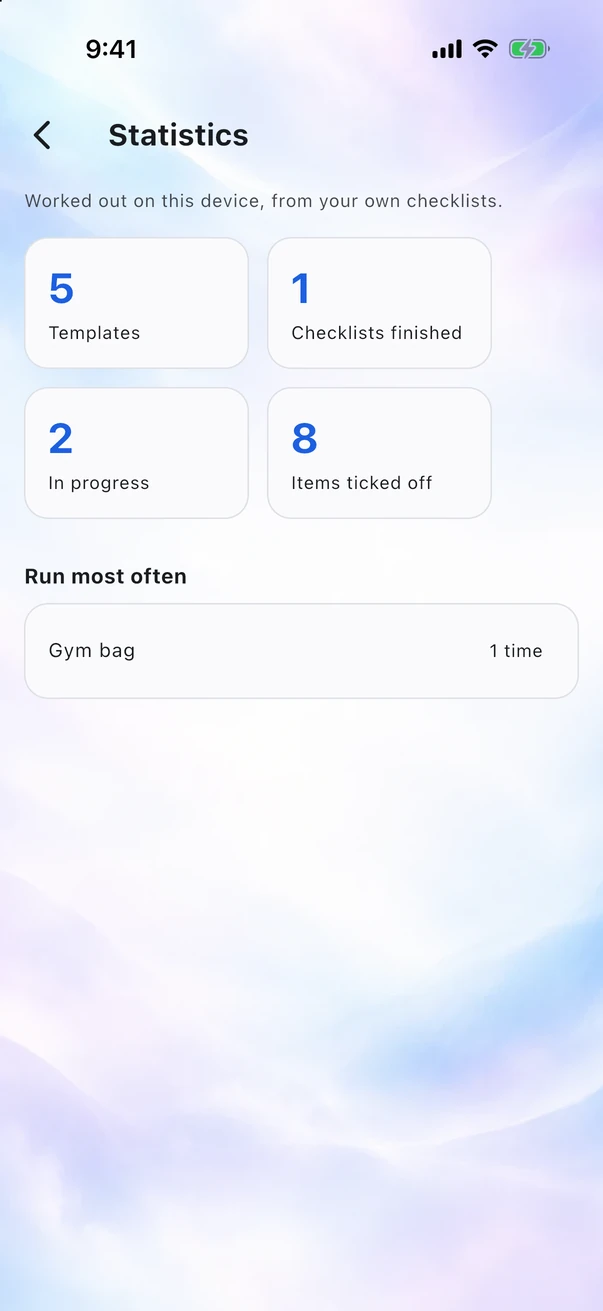
See how many templates you have, how many checklists are finished or still in progress, and how many items you've checked off in total.
No tracking behind the numbers
No analytics SDK, crash-reporting service, or usage reports sent to the developer. Your checklist statistics stay on your device.
Security
Know what you're sharing. Choose how it's protected.
Before you export or share, the app explains what's included and whether it's encrypted. Backups can include photos; shared templates and checklists do not.
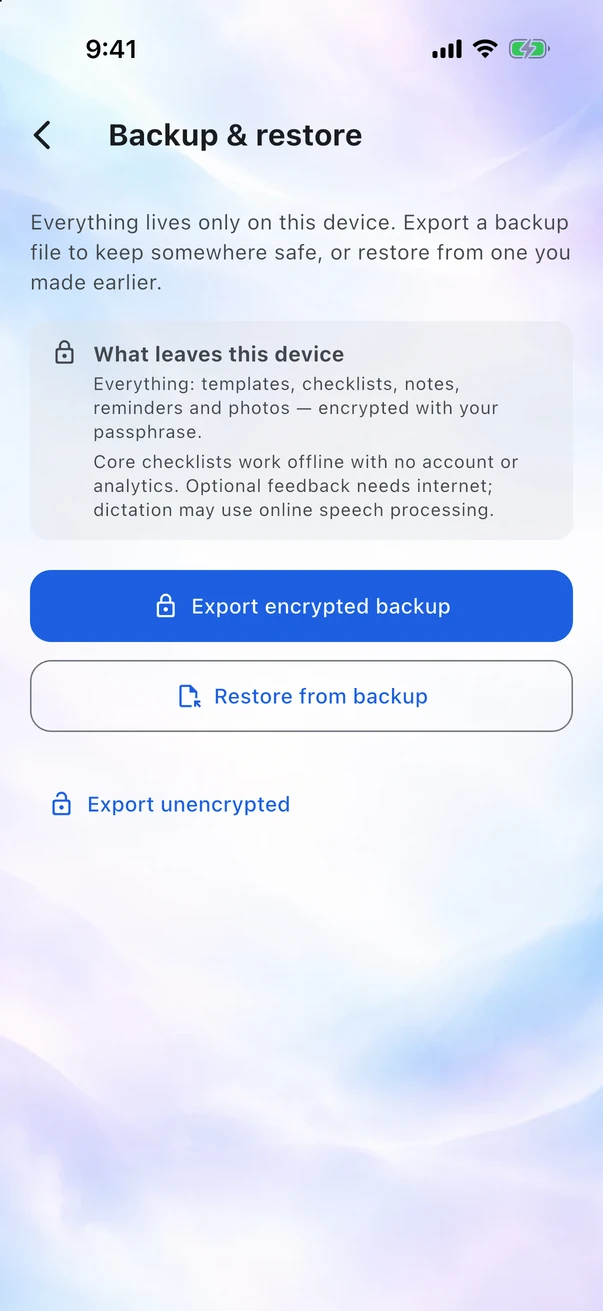
Backups protected by your passphrase
Argon2id derives the key and AES-GCM encrypts the backup, all on your device. Choose a strong passphrase and keep it safe: the developer cannot recover it for you.
Unencrypted export, only by choice
Need an unencrypted file? Use the separate, clearly labelled export option and confirm before saving. Anyone with access to that file can read its contents.
Unlock with your device
Open the app with your fingerprint, face recognition, or your device's passcode. The operating system handles authentication; the app never receives your fingerprint or face data.
Encrypted storage on Android and iOS
Optionally encrypt saved checklists, notes, and photos. Key material is protected using Android Keystore or iOS Keychain.
The app lock controls access to the app. Storage encryption protects the saved files. They are separate settings with different purposes.
Privacy
Your checklists stay yours.
No app account, no cloud sync, no tracking. Your templates, checklists, and reminders are stored locally, not on the developer's servers.
- No account or sign-in
- No analytics, trackers, or advertising SDKs in the app
- Your checklists are not stored on the developer's servers
- Photos are stored locally and excluded from shares; backups include them
- Backups are encrypted by default with a passphrase you choose
- Statistics are calculated on your device from your checklists
Stored on your device
Your checklists are stored on the device or in the browser where you create them. You choose whether to export or share them.
Free, with your support
100% free. No catch.
Every feature is free. Tips are welcome, never required.
Free to use doesn't mean free to maintain. I cover development and hosting, and App Store distribution requires an Apple Developer Program membership, normally 99 USD a year. A small tip helps support this independent project—never required, always appreciated.
Leave a tip
Other ways to support the project:
Questions about supporting the app? Email me. Send a tip
Get the app
Your checklists, on your platform.
Choose the web, Android, or iOS version. Release builds are generated from the source code.
Android
In closed testing on Google Play. Join the tester list and it installs like any other app.


